This year’s Directions EMEA conference brought a wealth of interesting insights from the world of Business Central. As the system evolves, so do the tools that enable system development. In the latest version of the system (2023 wave 2), several improvements have been made for developers.
A namespace is a way of organizing different names or identifiers that belong to a certain group or context
Namespaces – Syntax

Picture source: Directions EMEA 2023
Namespaces – Using directive

Picture source: Directions EMEA 2023
Namespaces – fully qualified names

Picture source: Directions EMEA 2023
Namespaces – 2 rules
Namespaces – AL Explorer
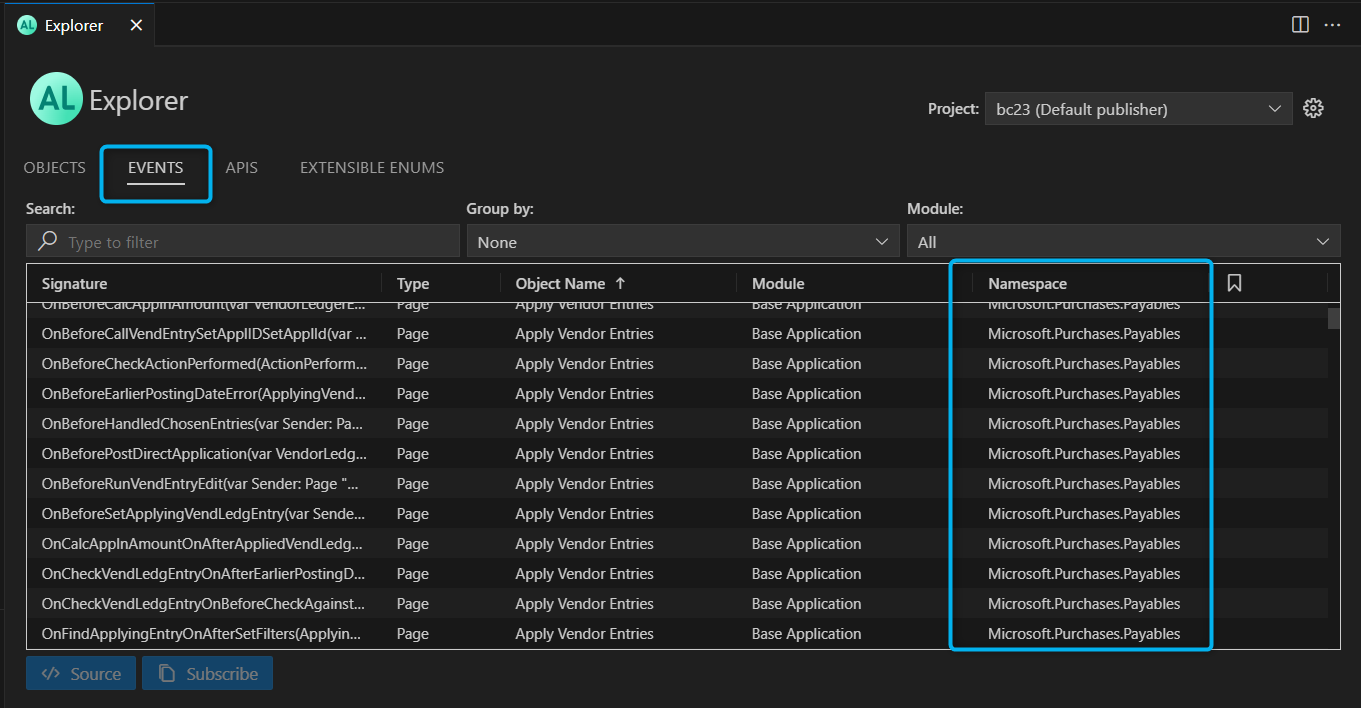
Picture source: Directions EMEA 2023
Explore and Debug in VS Code from web client
Overview of Explore and Attach options
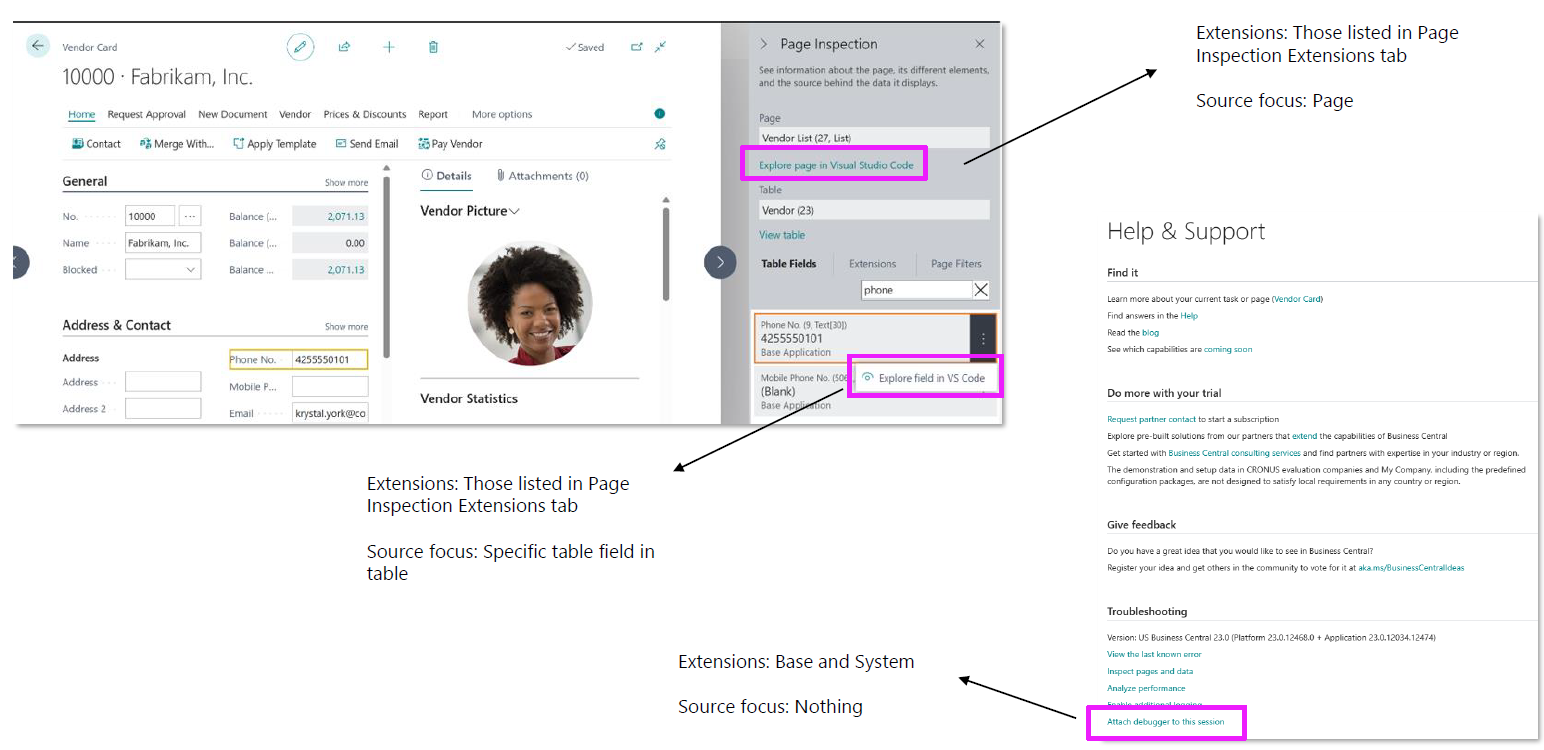
Picture source: Directions EMEA 2023
Permissions

Picture source: Directions EMEA 2023
Error details including call stack
The Error Call Stack specifies the call stack where the error occurred.
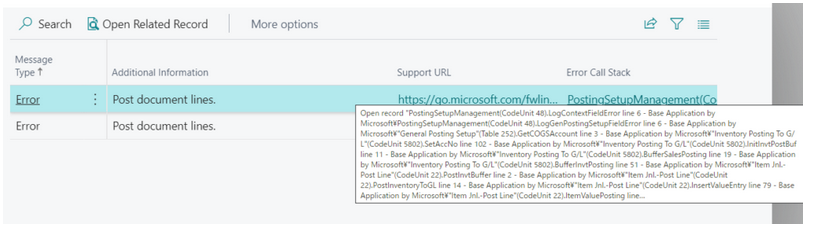
Picture source: https://yzhums.com/17861/
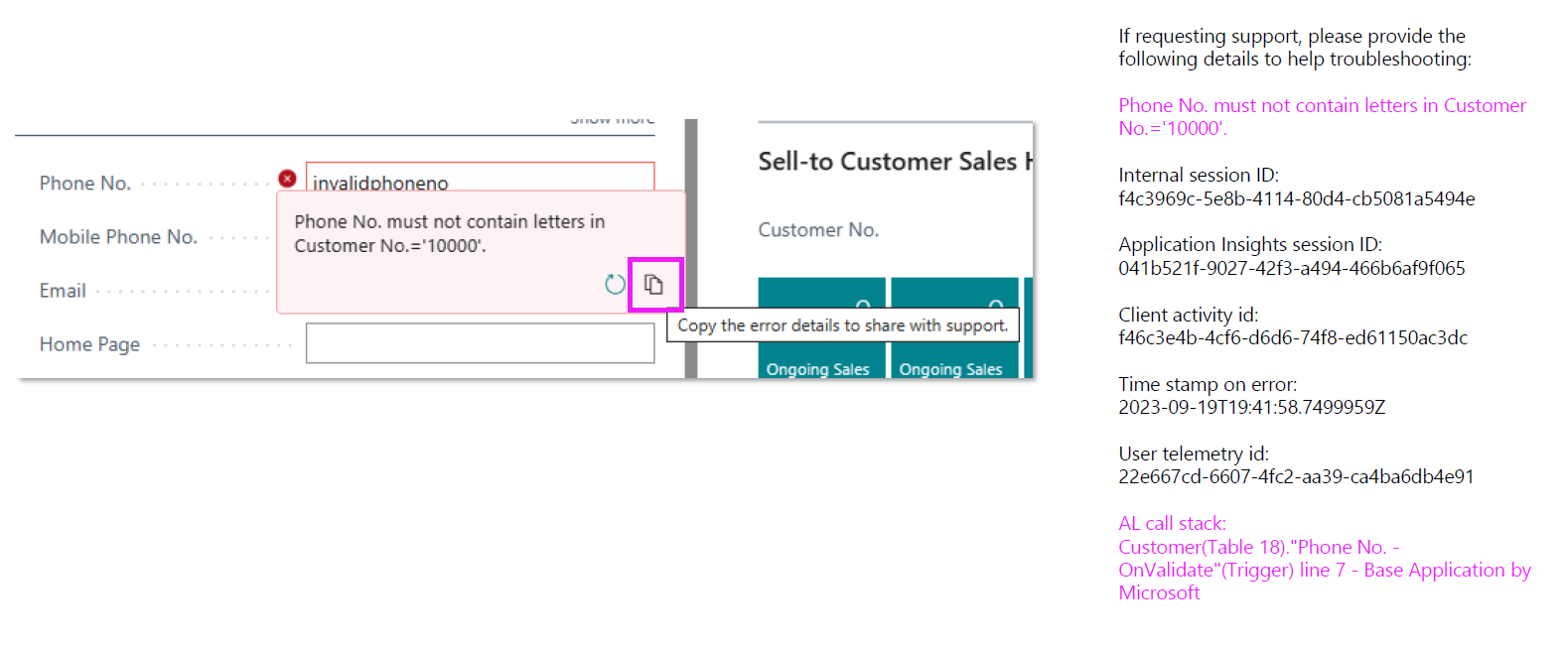
Picture source: Directions EMEA 2023
IntelliSense in debugger console
With 2023 wave 2, the console supports IntelliSense for object types and members that can be evaluated in the context of the debugger: fields, locals, globals, and member symbols that are not methods on a data type.
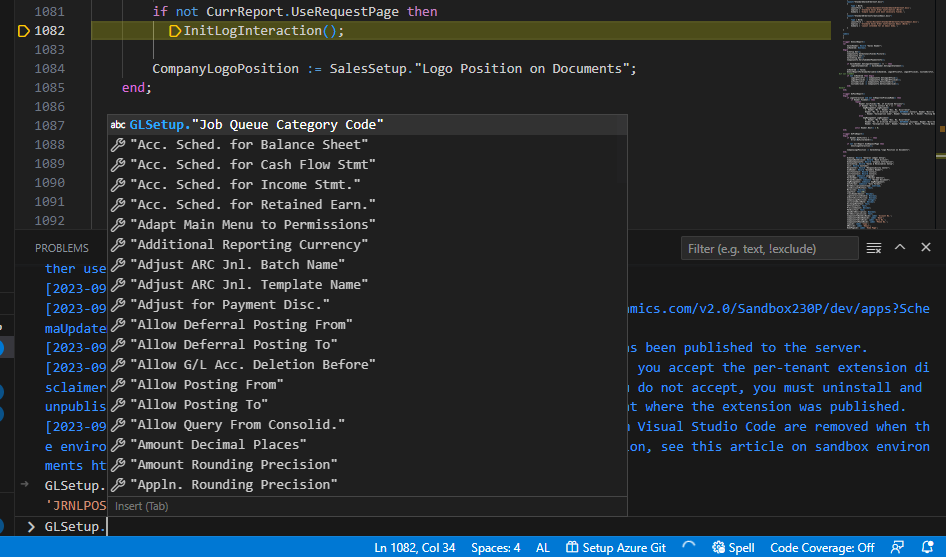
Picture source: https://yzhums.com/43256/
Additional sampling intervals in profilers
Microsoft has added new settings that allow users to choose between 50, 100 and 150ms.
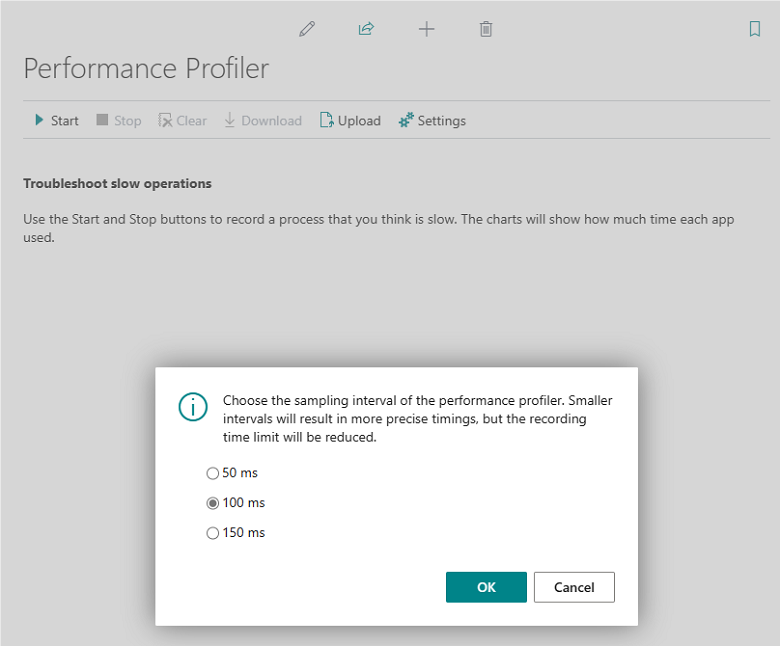
Picture source: Directions EMEA 2023
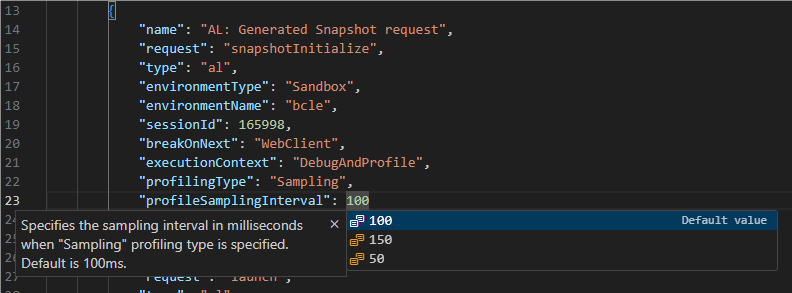
Picture source: Directions EMEA 2023
Recap: Sampling during profiling
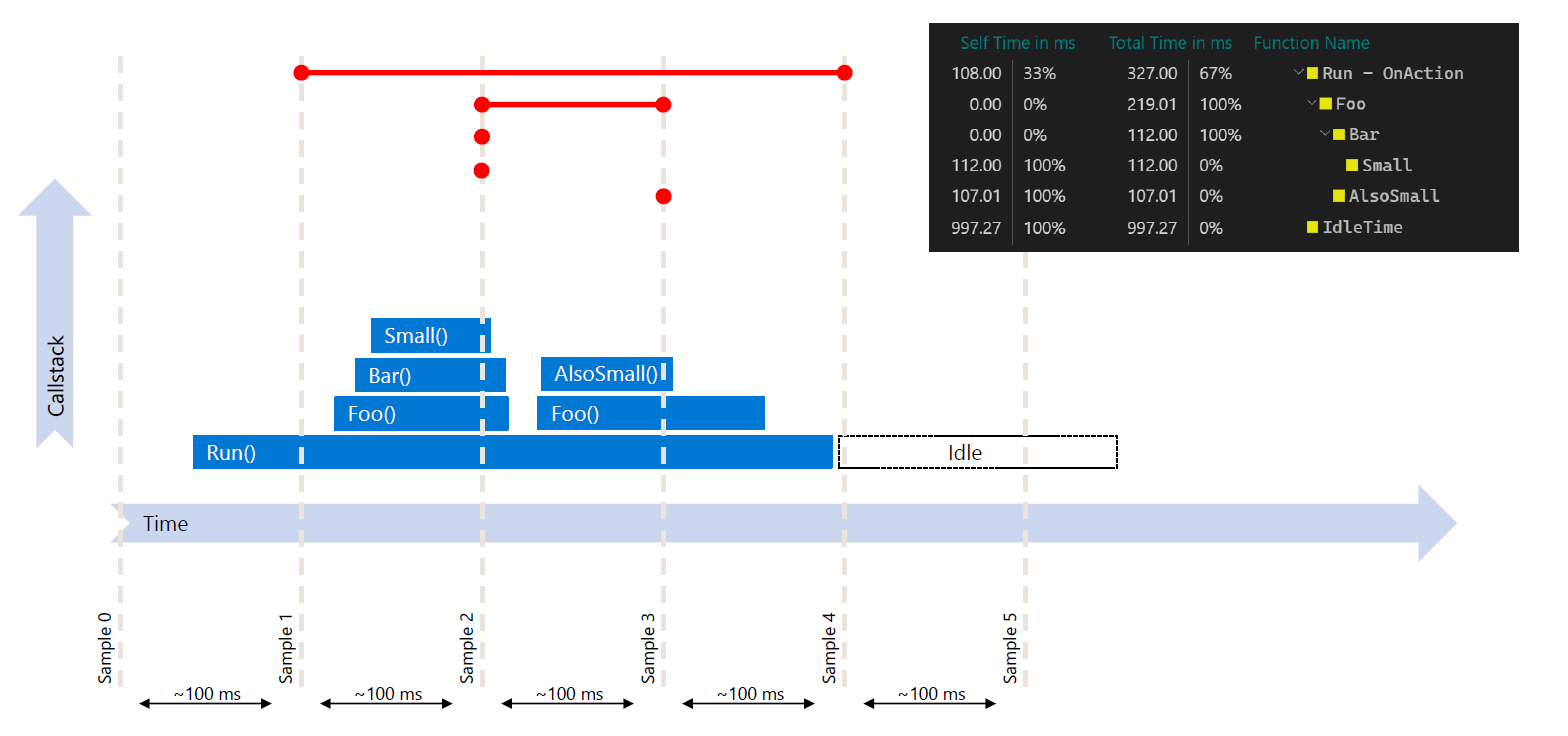
Picture source: Directions EMEA 2023
Variant
Variant to Dictionary/List – it is now possible to assign List and Dictionary to a Variant. The Variant type has been augmented with two new properties IsList and IsDictionary to allow for detecting if it contains the relevant types.
New variant type methods:
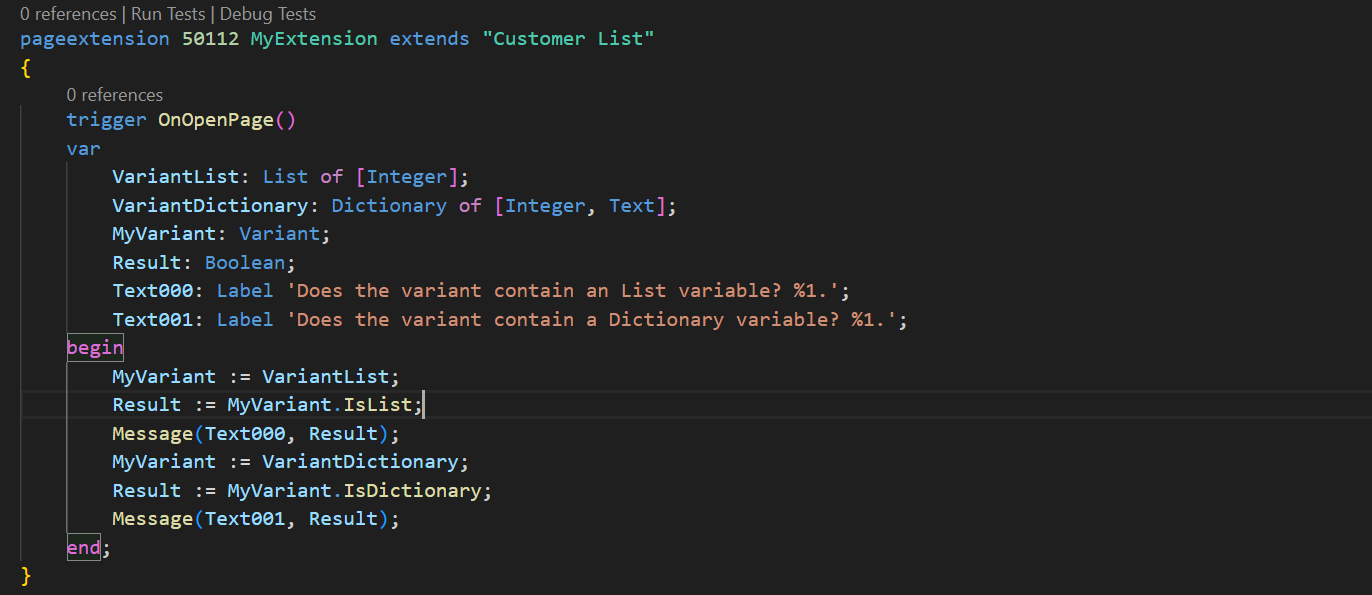
Picture source: https://yzhums.com/42578/
Secure Text
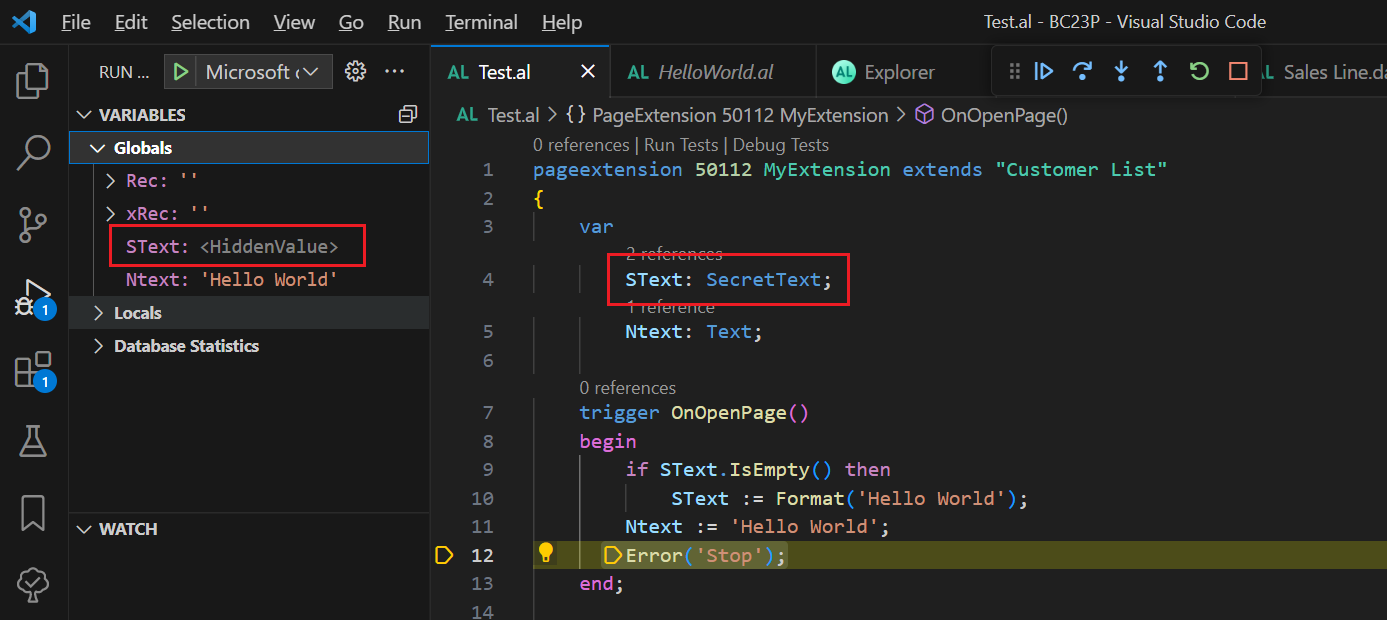
Picture source: https://yzhums.com/42691/
Fieldgroup
With this new feature, table extensions will be able to add a FieldGroup to existing tables.
The way this works is that a table extension can add fields by using the “addlast” keyword in the Dropdown or Brick field groups, as today. However, if the field group doesn’t exist on the table, which is being extended, it will be created.
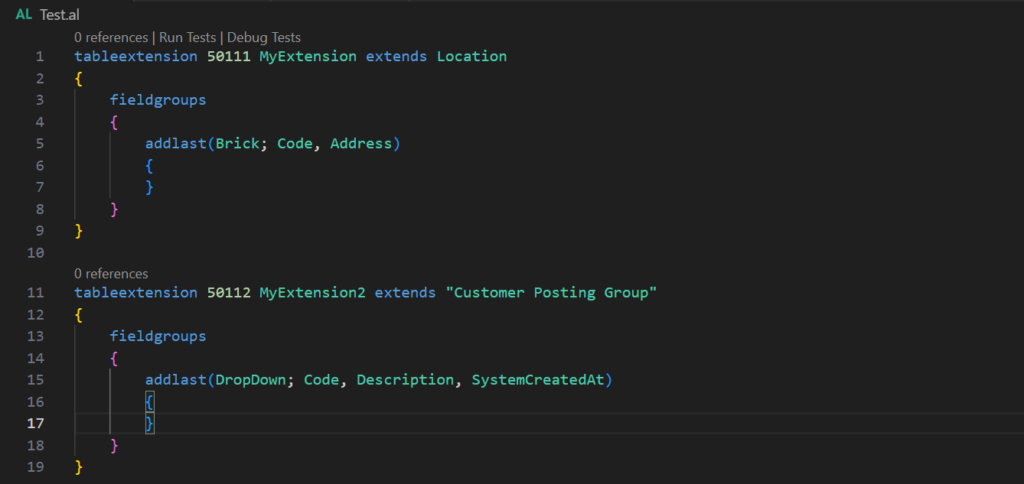
Picture source: https://yzhums.com/42611/
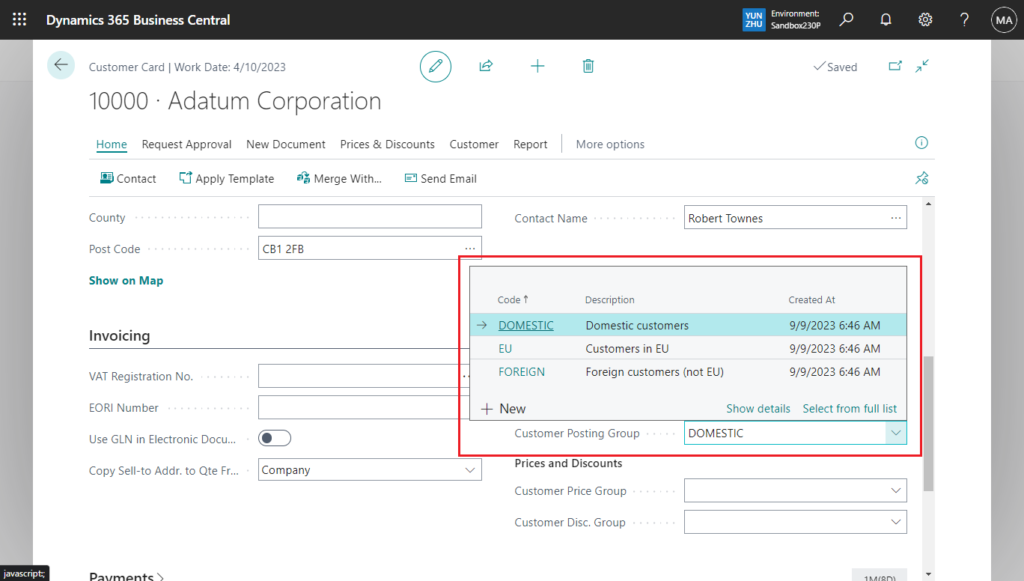
Picture source: https://yzhums.com/42611/
Add existing table fields
AllowInCustomizations
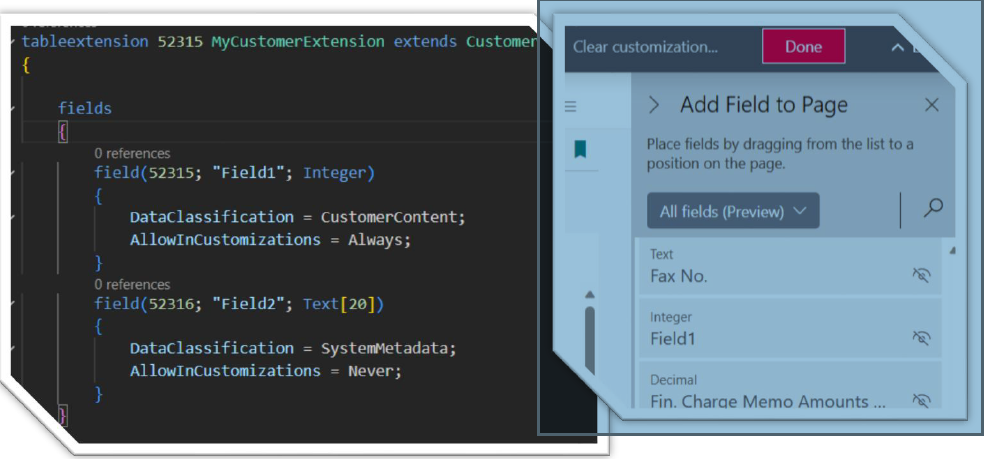
Picture source: Directions EMEA 2023
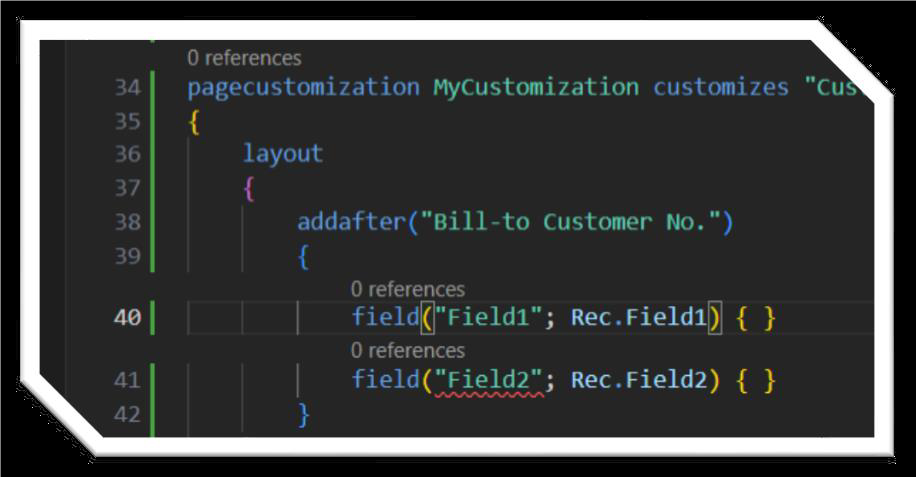
Picture source: Directions EMEA 2023

Picture source: Directions EMEA 2023
AnalysisModeEnabled
AL developers can turn off the data analysis mode using page object metadata.
On by default. Sets a value that specifies whether analysis mode on the page is allowed.
Disable analysis mode for list or worksheet page.
 Picture source: Directions EMEA 2023
Query from RunObject
With this feature, developers can make queries more easily available to client users who need to do ad hoc data analysis. Can be added the query as an action on pages using the RunObject property.
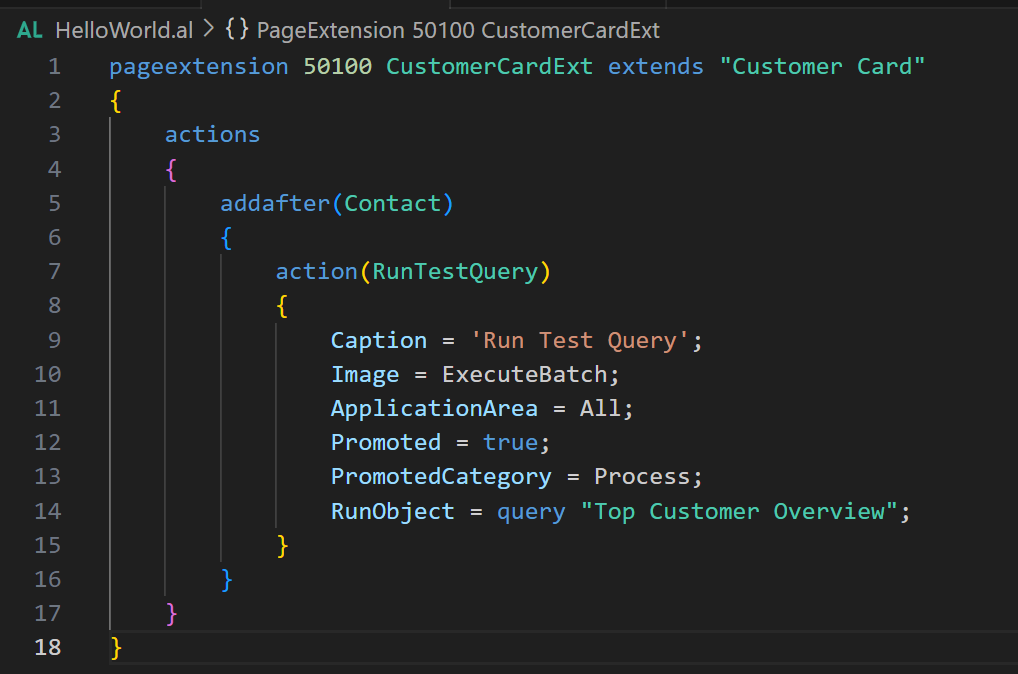
Picture source: https://yzhums.com/43703/
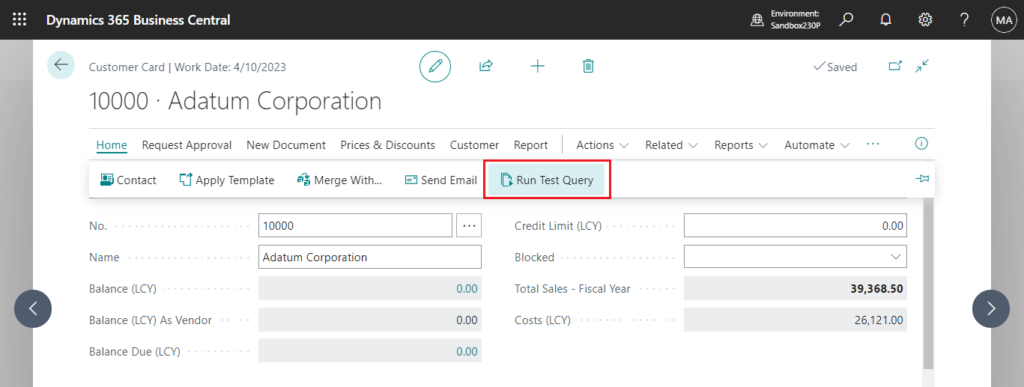
Picture source: https://yzhums.com/43703/
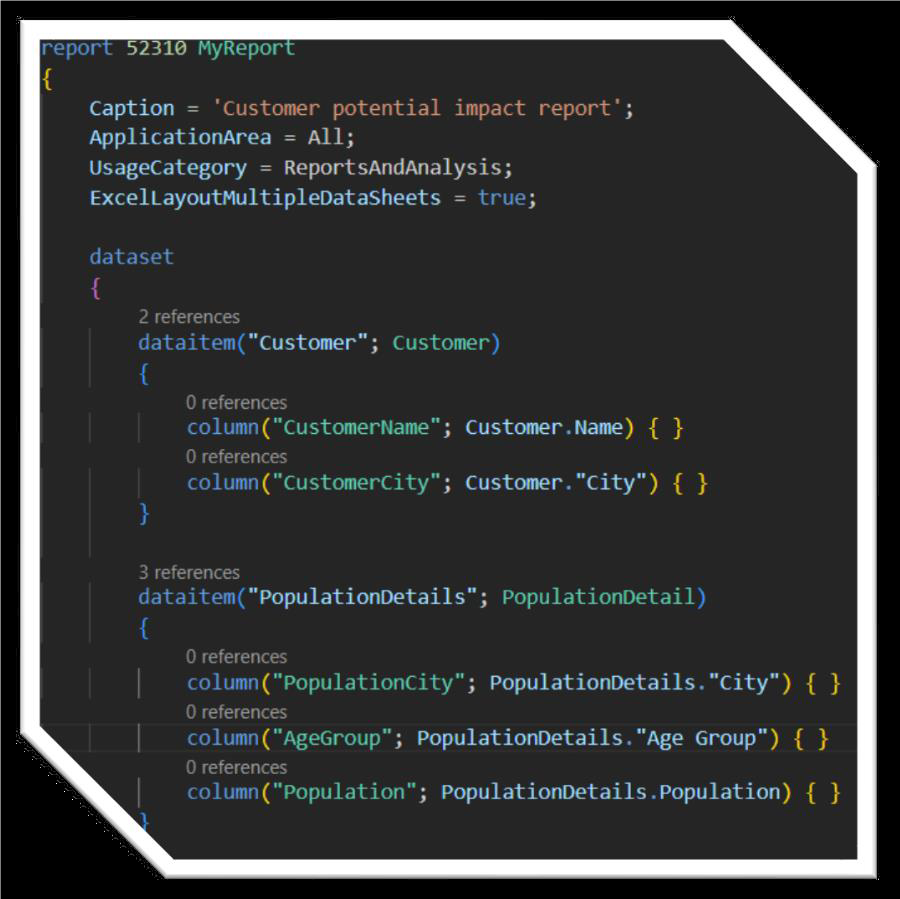
ExcelLayoutMultipleDataSheets
Multiple Data Sheets in Excel.
Simplifies complex reporting with multiple datasets in a single Excel report.
Picture source: Directions EMEA 2023

Picture source: Directions EMEA 2023
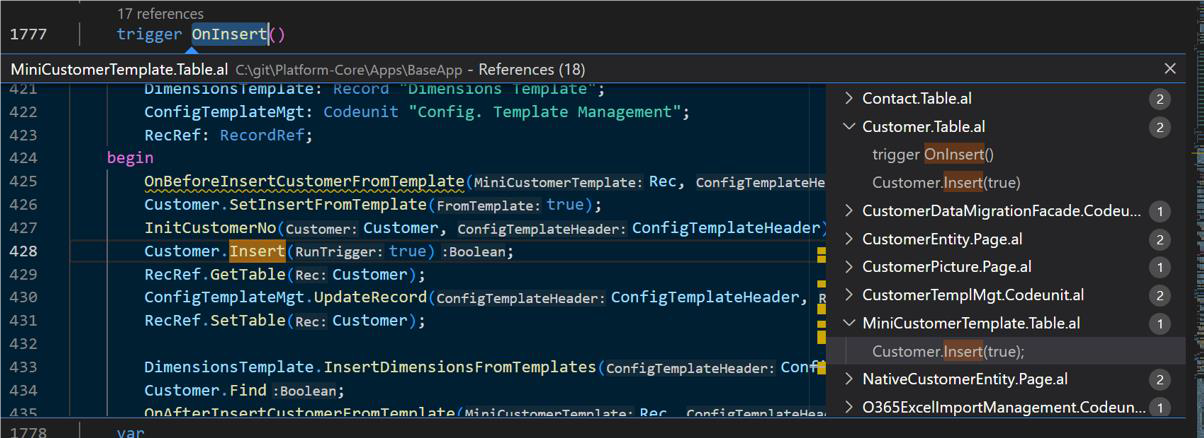
Navigate: “Find all references” improvements
Find All References command to find where particular code elements are referenced throughout your codebase. The Find All References command is available on the context (right-click) menu of the element you want to find references to. Works on triggers, system methods, and trigger events.
Picture source: Directions EMEA 2023
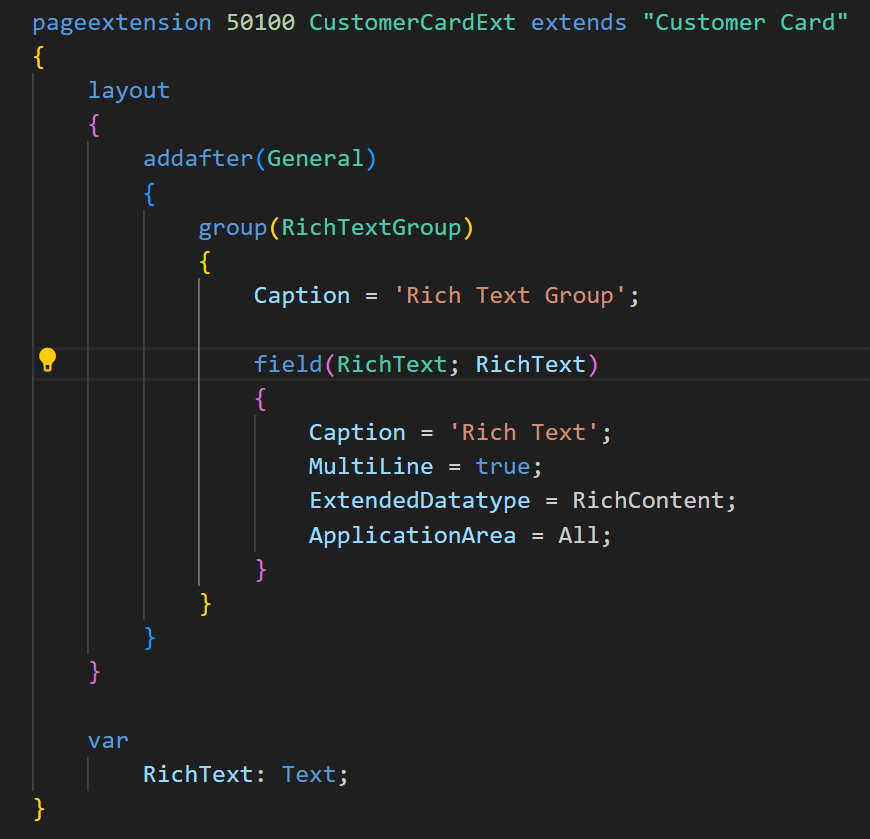
Rich Content fields
A native part of the platform, including
Ideal for authoring multi-media content, such as an email body, social media post or rich notes.
Picture source: https://yzhums.com/41989/
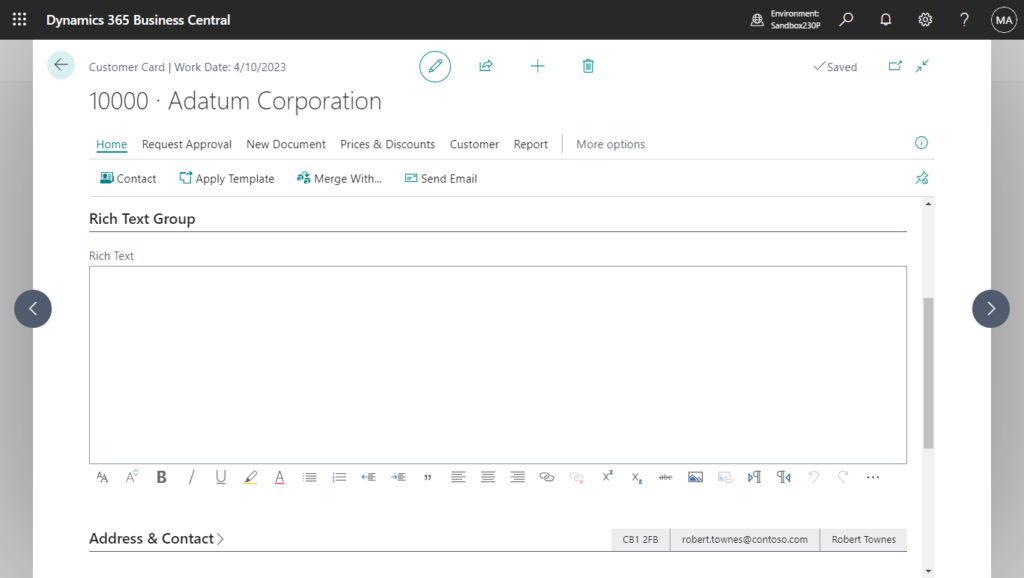
Picture Source: https://yzhums.com/41989/
Would you like to learn more? Let's get in touch.
Sending...