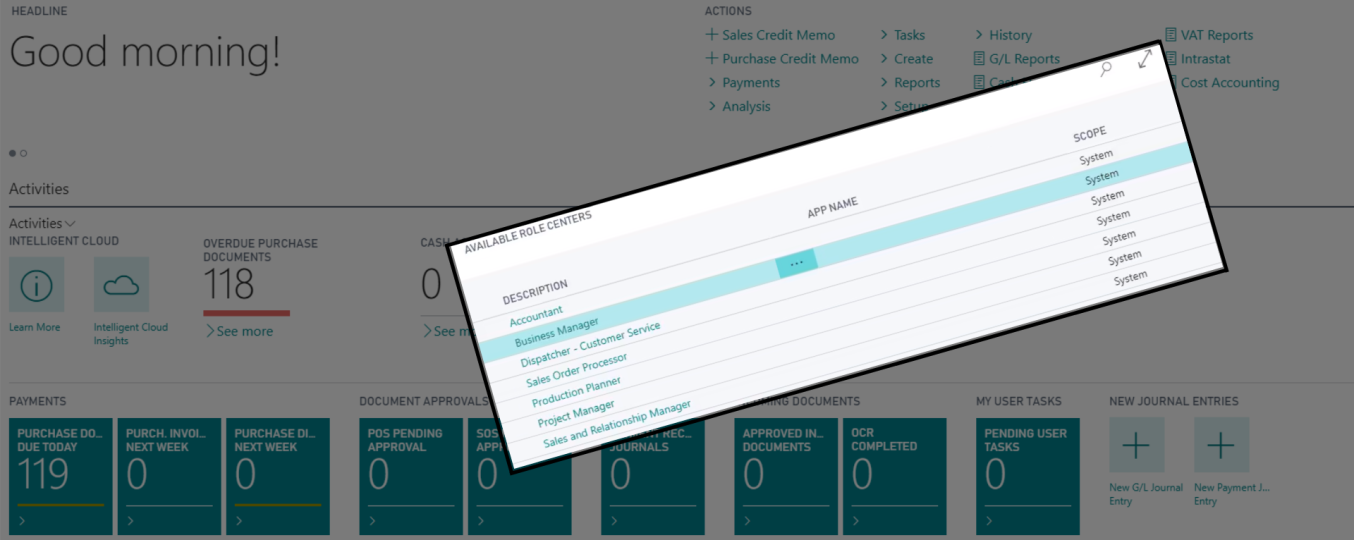
The appearance of the home screen depends largely on the user role selected. Usually the role in Business Central corresponds to the position taken by the employee. To maximize the efficiency of everyday work, the functionalities displayed on the main screen should be tailored to your individual needs.
The following are examples of user roles:
Sample Dashboard for the role of “Chief Accountant”.
Sample Dashboard for the role of “Sales Manager”.
How to change user role?
Go to settings, then select my settings. Then, using the drop-down list, you can change the user’s main view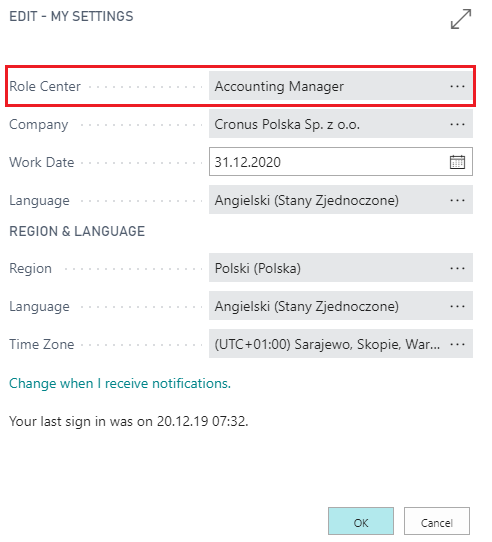
Below is a video that present how you can increase the efficiency of your daily work by personalize the functionalities displayed on the main dashboard:
Please accept cookies to access this content
Dynamics 365 Business Central allows organizations to:
Would you like to learn more? Let's get in touch.
Sending...